Linda Kemp shares how the Joyusing V1XS transformed her online painting workshops
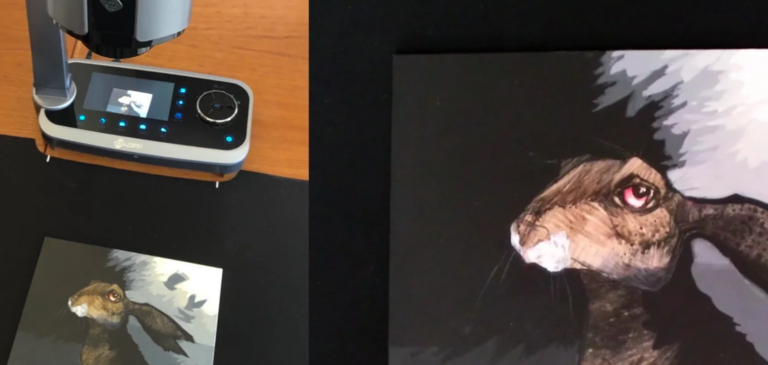
Hello to my artsy friends who offer painting or crafting demonstrations online. Several people have asked about my photography setup, so I thought I'd share some information about the newest tool I've added to my presentation equipment.
While I use a digital camera on an overhead boom for recording full videos, I was looking for something I could use for live content during Zoom workshops. It needed to be really easy to use, quick to set up, and provide amazing video quality—without costing a fortune. A friend suggested a document camera.
Here's a look at the one I selected—the Joyusing V1XS. Being a bit of a tech nerd, I did a lot of research to find a camera that offered all the functions I wanted, including the ability to record on an SD card. This option works on both PC and Mac.
Here's a look at the amazing optical and digital zoom that lets students get a really close-up, detailed look at the painting on their screen.
I can also use the LCD screen on the camera to make focus adjustments and zoom in or out.
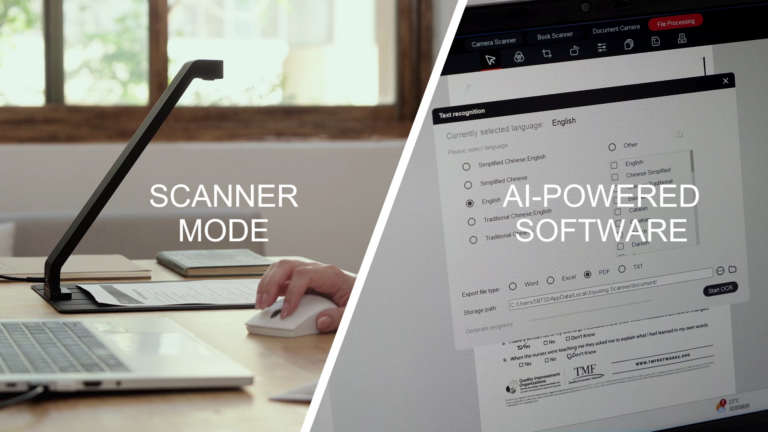
The easy-to-use software works with my computer. Look at all these functions—it's even possible to add notes and annotate.
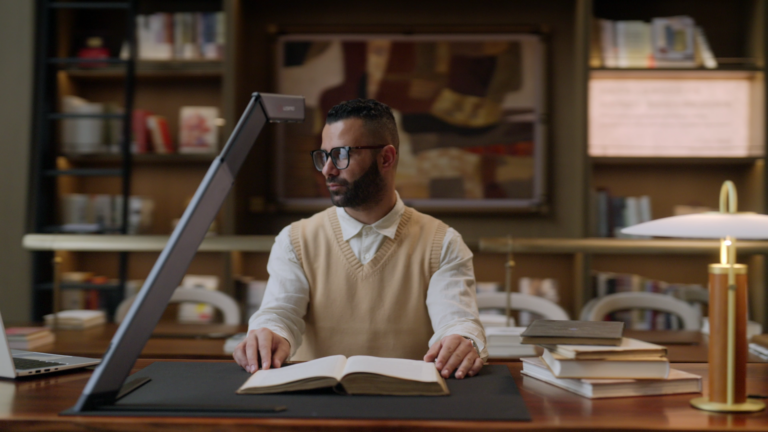
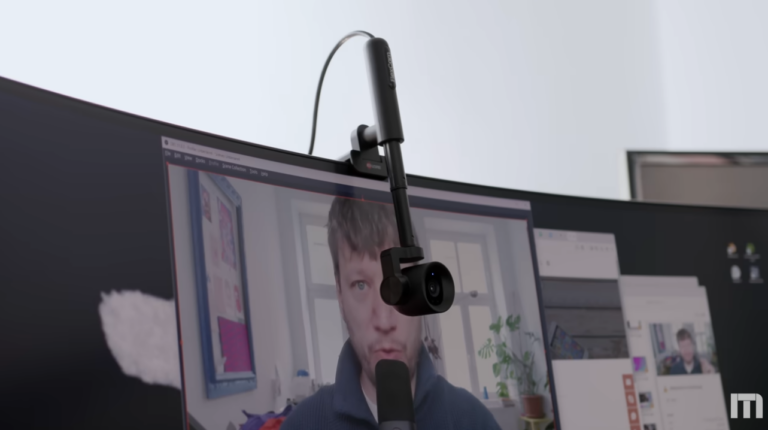
A document camera can sit on your work table or desk for overhead shots, or you can rotate the camera to serve as a webcam—or, if you're working on an easel and want a longer focal range, it works for that too.
Setting up a document camera is straightforward. It requires only a few minutes of your time, and the entire operation is plug-and-play. You won't need to install any drivers.
All the meeting programs you use—Google Meet, Zoom, Microsoft Teams—are already compatible with document cameras. With just a couple of clicks through the Zoom platform, students get a close-up view of a live demonstration.
Document cameras are used to capture a particular point of interest and are used in distance learning, courtrooms, and offices. They act as amazingly versatile tools that can be used in a variety of situations. They are lightweight, easy to use, and compatible with every platform.
Companies like Joyusing have been manufacturing document cameras for years and have multiple document cameras on their site that cater to both commercial and residential needs.
Yes, it does! We can traditionally classify document cameras as USB webcams and share most of their functionality. Here's a quick look at some of them:
These features make document cameras excellent tools that can be used in multiple situations.
With an HDMI cable, the camera can be connected to a projector or television.
You do not need a PC! The document cameras on the site mentioned above are available in both PC and PC-Free configurations, allowing you to use the visual communication tool in a variety of ways.
The video recorded on your document camera is completely editable and shareable. You can even share the video from the document camera to anyone on social messaging tools like WhatsApp or Messenger directly on your phone.
Document cameras are perhaps most often used in virtual classrooms. With visual communication playing an important role in a student's overall learning, document cameras can provide information or notes in a very simple manner through both live and pre-recorded lectures.
Teachers can also use their document cameras as a webcam when taking an important meeting or recording lectures. They can show what a teacher is writing while they deliver their lecture, or for students' note-taking.
We can also use them in work-from-home or study-from-home environments for both teachers and students, where they can show their papers, exams, and tests and stream them using their document camera for verification by their teachers. In fact, some institutes have shifted to off-campus exams and use document cameras as their primary method of supervising.


United States (English)

France (French)

Portugal (Portuguese)

Spain (Spanish)
No.20 Building, Haixi Innovation Science Park, Wulongjiang Central Avenue, High-tech District, Fuzhou, Fujian 350108, China.